Introduction
The pull-based API offered as part of the Wildfire Solution include a set of HTTPS REST endpoints that allow users to:
- retrieve data about active & historical fires
- retrieve data about burnt areas (caused by fires)
- run fire spread simulations
- query satellite products
To use the API, users need an active subscription, an API key and a REST client to request data from the server. The server processes the request and returns the requested data according to the specified parameters.
Authorization
Authorization for the API is managed through personal API keys. These keys can be generated either via the API Keys section or through the web interface.
Generate API Keys Through the API
-
Ensure You Are Logged In
- Before you can generate an API key, you must be logged into your account. The API requires an active session to validate your request.
-
Navigate to the Create a New API Key Section
-
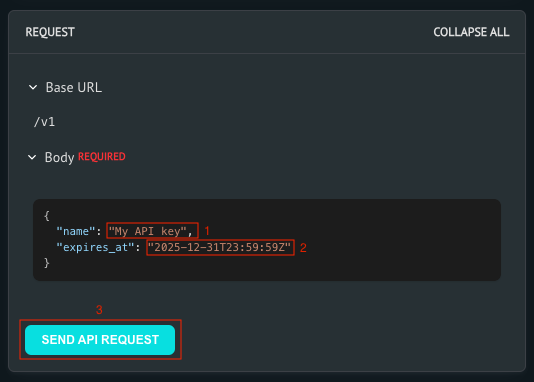
Generate Your API Key
- Provide a descriptive name for your API key.
- If you wish to set an expiry date, include an
expires_atfield in your request. - Click the Send API Request button to generate the key.
-
Securely Store Your API Key
- Once the key is generated, copy it immediately and save it in a secure location, such as a password manager or secure file storage.
warning
You won’t be able to view the full key again after leaving this page.
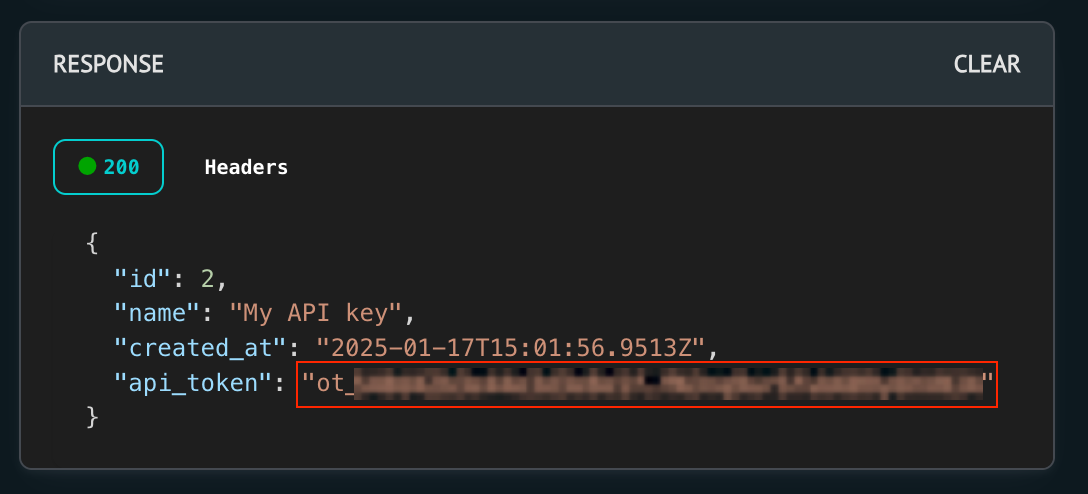
- Once the key is generated, copy it immediately and save it in a secure location, such as a password manager or secure file storage.
-
Using Your API Key
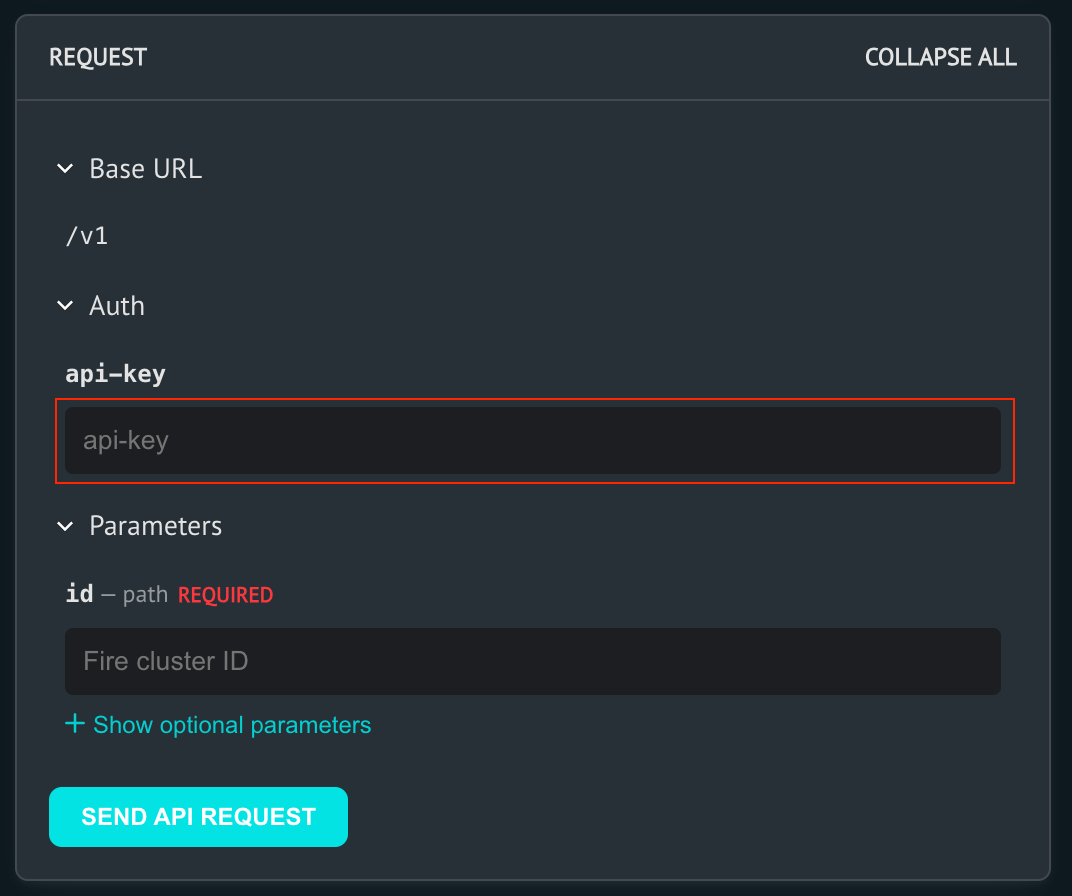
- Navigate to any API endpoint, such as Get Cluster Info.
- Paste your API key into the API key field. The key will be saved for subsequent requests.
Generate API Keys Through the Web Interface
Logged-in users with an active subscription can create a personal API key by accessing the "Account → Profile" section.
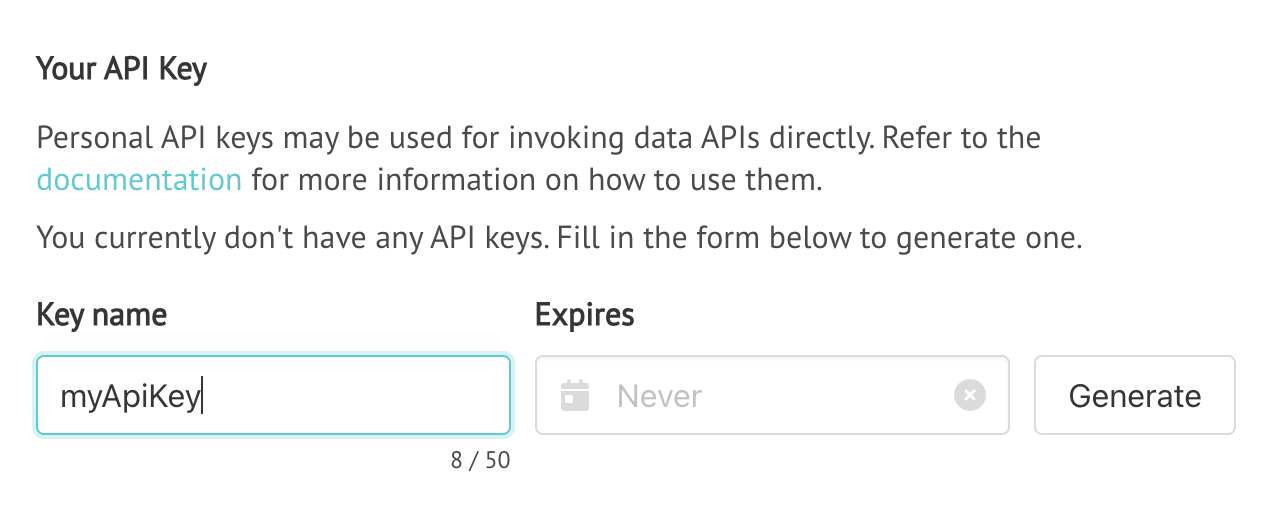
After generating a key, the key must be stored in a secure place. It will not be possible to view the key again on the platform. If a key is lost, the old one must be deleted and a new one be generated. Deleted keys are revoked and will stop working immediately.
All requests to the API must include this key within an apikey header, for example:
curl --request GET \
  --url "https://app.ororatech.com/v1/monitored_areas/my/clusters/" \
  --header "apikey: ot_1234567890abcdef.1234567890aBCDef"
API keys will stop working whenever a subscription expires, although the key itself will not be deleted. If a subscription is renewed, the same key can be used again.
It is recommended to stop automated jobs when a subscription is about to expire, to avoid unnecessary API requests and to prevent the API key from being blocked.
Limitations
Depending on the subscription plan, users may have access to different features and may be subject to different rate limits. In some cases, only a specific time window of data may be available (e.g. fire data from a specific year). Contact your sales partner to get more information about the available features and limitations.
Refer to the Integration Guides section for more information on how often to poll an API, in order to retrieve data effectively without overusing the API.
Specification
The REST API specification is optionally offered as a Swagger file. The swagger file can be used to generate client code for various programming languages. The swagger file is available at the following URL: https://app.ororatech.com/v1/api/swagger.json.